Winter Town · Personal project
A portfolio you can explore
Building a small interactive world while keeping projects, experience and contact details within easy reach.
- Problem
- Make exploration enjoyable without making visitors play a game to find my work.
- My role
- Visual design, frontend architecture, movement, interactions and browser testing.
- Result
- A walkable town and a plain portfolio, sharing content and linking directly to individual projects.
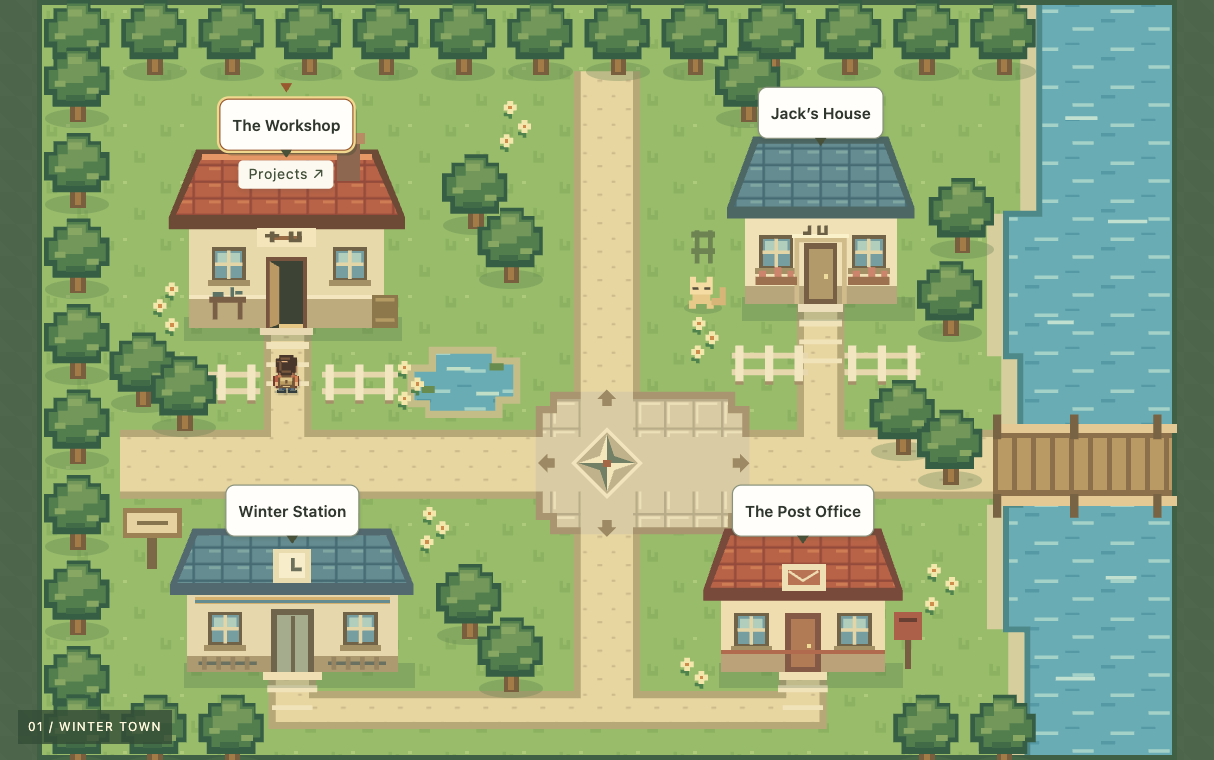
Two ways in, one source of content
The town is a Preact application inside an Astro page. The plain portfolio renders the same project and profile content as HTML, so visitors can read it without JavaScript.
Quick-access buttons and project URLs bypass walking. Exploration adds personality, but it is optional.
Keep movement state together
Keyboard input, held touch controls and tap-to-walk all affect the same character. The movement hook owns position, held keys, routes and the animation loop. The page asks it to enter a scene or follow a route instead of coordinating mutable state itself.
- Choose a destinationResolve the ground point or building
- Find a routeCheck the grid and the space between steps
- Walk and arriveAdvance frames, then run the destination action
The world defines where movement is allowed. The movement hook executes the route; the page handles the resulting interaction.
A four-direction search on a 10-pixel grid is sufficient for this small, fixed world. It is straightforward to inspect and test, at the cost of less natural paths than free-form navigation.
Try the routing decision
Choose the bridge or the pond to see how the same pathfinder used by the town handles a reachable destination and a blocked one.
Enable JavaScript to try the route inspector. The route tests also show how blocked destinations and collision boundaries are checked.
Enable JavaScript to try the route inspector. The route tests also show how blocked destinations and collision boundaries are checked.
Treat navigation as part of the interface
Project slugs identify content across URLs, workshop machines and demos. Changing the display order does not change what a link opens. Browser history and reloads restore the selected content.
Dialogs focus their headings and return focus when closed through the interface. Reduced-motion preferences skip automatic travel to destinations. Saved discoveries are optional: malformed data is validated, and denied storage leaves the town usable for the current visit.
Test the difficult boundaries
Unit tests check collision boundaries, route segments, URL parsing and saved-progress validation. Browser journeys cover touch and keyboard input, deep links, focus, and the JavaScript-free portfolio across Chromium, Firefox and WebKit.
Movement tests advance a controlled clock to avoid relying on a CI runner’s frame rate. They still exercise the real route and movement code.
These checks do not establish that first-time visitors find everything easily. The next design check is to watch people find a project, explain what I do, and locate a contact route without guidance.
Recorded evidence
In the homepage baseline recorded on , first contentful paint ranged from 756–780 ms and the observed largest-contentful-paint candidate from 832–892 ms, across three local runs.
The measurement used revision 1855ccf, a 390 × 844 viewport, 4× CPU slowdown, 150 ms network latency and a 200,000-byte/s download limit. Each run used a fresh browser context; observation ended three seconds after load.
This is a historical local baseline, not a current production measurement or evidence of improved hiring outcomes.